Instead of repeatedly asking for roof permit updates, find your Charlotte County roof permit record, confirm whether you need viewing access or applicant permissions, and use that same record to track the job. This 2026 guide explains how to match the permit to your property, resolve account-access problems, and keep inspection records together without submitting a duplicate application.
- Find your Charlotte County roof permit by its record number before trying to connect an account.
- Charlotte County permit viewing and permission to submit documents are different tasks.
- Roofsmartflorida provides Southwest Florida roofing services, not government portal access.
- Keep the permit number, inspection results, and completion documents in one project folder.
Why this matters
Finding a permit online does not make you its applicant or authorize you to change it. Treat record lookup, account access, and permission to submit documents as separate checks. That distinction prevents you from creating another application when you only need to follow an existing roofing job.
Roofsmartflorida provides residential and commercial roofing installation, repair, and replacement across Southwest Florida. Roofing work and government account administration are different services; confirm who handles each part before work begins.
For a 2026 roofing project, your goal is a clear chain from the property address to the permit record, then from that record to inspection results and documented completion. An account dashboard is useful, but the underlying permit is what you need to identify correctly.
Before you start
- Gather 2 identifiers: the complete property address and the permit or application number supplied by the applicant. Keep the contractor's name and your project description nearby so you can distinguish the current job from older roofing records.
- Prepare your own account access: use an email address you control if registration is required for the task. Have authorization documents ready when you are acting for a business, association, or another property owner.
- Confirm jurisdiction and your role first: a Charlotte County mailing address alone does not establish which building department handles the property. Also, ownership does not automatically make your portal login the applicant's login; confirm both before attempting account changes.
Do not ask a contractor to share a password. Request the permit number and an explanation of who will submit documents, respond to review comments, and arrange inspections instead.
Choose the access you actually need
Start with the task, not account registration. Looking up a permit and managing its submissions are different workflows, with different limits.
| Workflow | Best for | Advantage | Limitation |
|---|---|---|---|
| Record lookup | Homeowners checking an existing roofing job | Lets you identify the record and review the information made accessible | Does not establish permission to upload documents or change contacts |
| Authorized account access | Applicants or approved representatives managing submissions | Keeps permitted account actions tied to an identified user | Requires the correct role and the building department's access process |
Use record lookup first when you only need a status update. Request authorized access when you have a defined responsibility that requires it. Do not change the applicant simply to make a record easier to find.
Permit record identification
- Start from Charlotte County government's official website and follow its building-permit or online-services route. Avoid entering account credentials on an advertisement or an unrelated permit-assistance website.
- Confirm that the building department serves the property's jurisdiction. If the property is handled by a municipal building department, use that authority's process rather than starting a county application.
- Locate the existing record using the permit number supplied by the applicant. Preserve its letters, digits, and punctuation when entering it.
- If you do not have the number, use the search methods offered on the official service. Compare the property address, work description, applicant, and record date before choosing a result.
- Save the record number and the date you checked it in 1 project folder. Keep a copy of the record summary when downloading or printing is offered.
Expected result: you have identified the roofing record for the correct property and scope of work. You have not created a new application or changed anyone's access.
For a 2026 replacement, do not assume the first roof-related result is the current job. An older repair, a completed replacement, and a new application can concern the same address. Match the work, not just the street number.
Account identity and authorization
- Decide whether you need to observe the job or perform applicant tasks. Write down the specific action you need, such as submitting a requested document, before asking for access.
- Sign in through the official service when that action requires an account. Use an account belonging to you or your organization, not another person's credentials.
- Compare your account email with the contact information supplied for the application. Ask the applicant to confirm the submitted contact details rather than guessing from a company name.
- Follow the building department's current instructions for associating an existing record with an authorized user. If no applicable account action is offered, request instructions from permit staff.
- Describe your role accurately: owner, contractor, employee, or authorized representative. Provide supporting authorization through the department's requested channel.
Expected result: you know whether your account has the permissions needed for your task, or you have a specific authorization request with the building department.
A visible record is not proof of editing access. Stop before submitting anything if your role is unclear. Creating a second login or a second permit application does not resolve an authorization question.
Record association and verification
- Follow the association process supplied by the building department for the existing permit. Keep the permit number in every access-related message so staff can identify the record.
- Return to the record after completing the requested process. Verify the address and roofing scope again before using any newly accessible action.
- Check only the capabilities required for your role. Viewing documents, submitting documents, and arranging inspections are separate responsibilities; do not assume permission for one includes the others.
- Record who remains responsible for review responses and inspections. Keep that assignment with your project documents so an access change does not leave a task unattended.
- Sign out and return through your normal account route to confirm that you can find the record again. Save the record number separately from any browser bookmark.
Expected result: your access matches your responsibility, and you can reliably return to the correct permit.
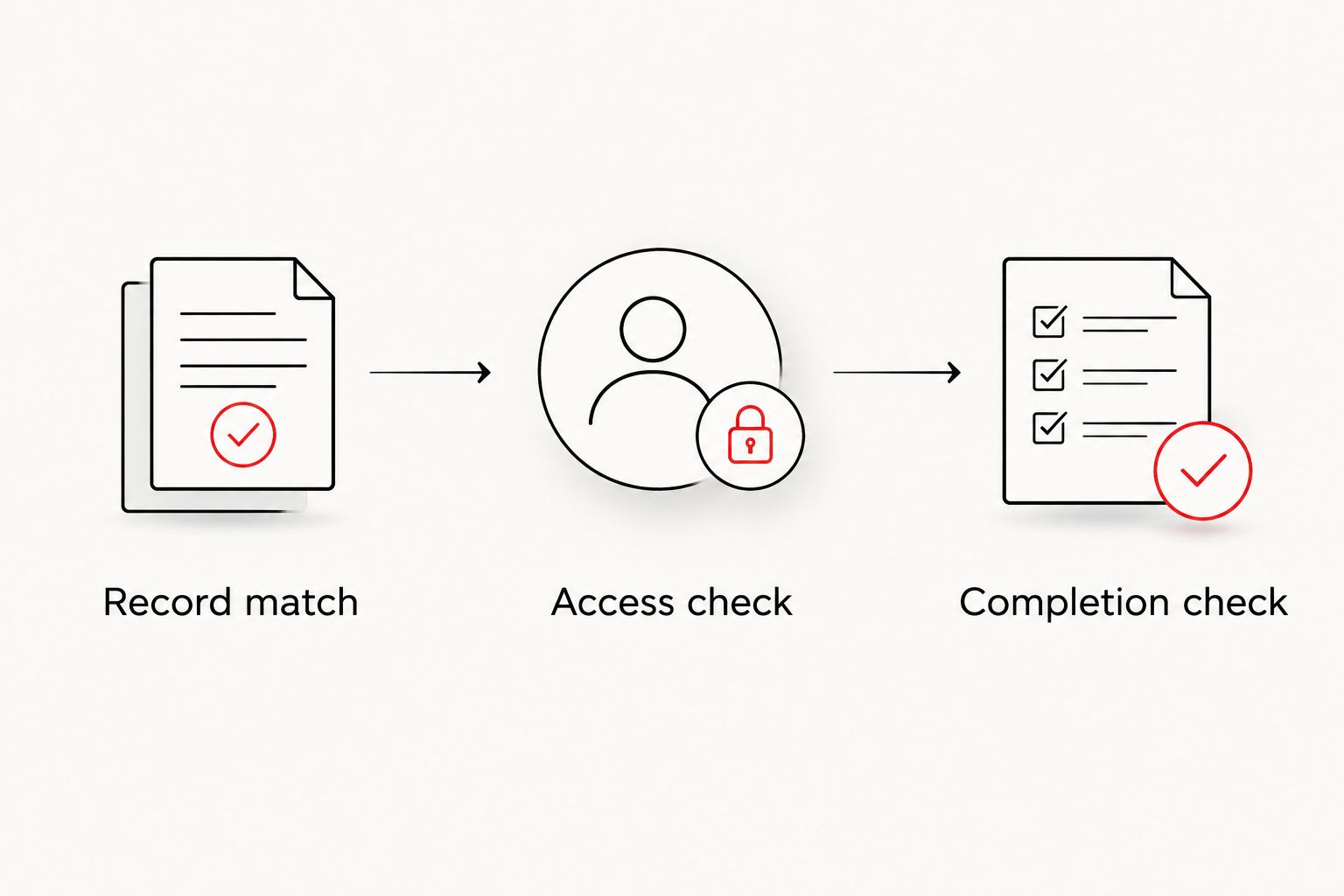
Use these 3 checkpoints in your 2026 project notes: Record match, Access check, and Completion check. The first confirms the job, the second confirms what you can do, and the third confirms that the permit process has reached its documented endpoint.
Inspection and completion tracking
- Review the information provided on the permit record and identify the next outstanding action. Separate application review, permission to proceed, inspection activity, and completion rather than treating every update as approval.
- Ask the applicant who will respond to review comments and arrange required inspections. Record the answer before the work reaches a point that needs inspection.
- Save inspection results with their dates and record numbers. If an inspection identifies corrections, keep the correction information with the follow-up result.
- Request the department's evidence of final permit completion when the job is finished. Check that it belongs to the same property and permit number you have tracked throughout the project.
- Store the final record alongside the roofing contract and other project documents. Keep contractor paperwork separate from government inspection results so you can identify each document's purpose.
Expected result: you can explain the permit's current stage, name the person responsible for the next action, and locate the completion evidence when it is issued.
Roofsmartflorida roofing services cover installation, repair, and replacement. When discussing a project, ask who handles permit submissions and inspection coordination; do not infer those responsibilities from the service category alone.
Track an existing permit whenever it changes
You do not need to become the applicant just to keep an orderly project history. For an owner monitoring a contractor-managed permit, use a repeatable record-checking routine instead of requesting control of the application.
- Keep the permit number at the top of your project notes.
- Check the official record after the applicant reports a submission, review response, or inspection result.
- Save the dated information that explains what changed.
- Assign the next action to a named person, not simply to the project team.
- Reconcile the final permit record with the applicant's completion paperwork.
If the official service offers notifications for your account and record, follow its instructions and verify the notification settings. Treat messages as prompts to inspect the record, not as substitutes for reading it.
For a 2026 project managed remotely, keep your email address current and identify a local project contact. This creates a clear communication path without giving another person your login credentials.
Troubleshooting
The search does not find your permit
Confirm the jurisdiction and ask the applicant for the exact record number. If searching by address, try the address format accepted by the service and check that you are searching permit records rather than another record category. Do not submit a replacement application to solve a lookup problem.
The permit is visible but absent from your account
Treat this as an account-association question, not evidence that the permit is missing. Give permit staff the record number, your account email, and your role, then follow their instructions for authorized access.
You can open the record but cannot submit documents
Check whether your account is authorized for submissions. Ask the applicant or permit staff who should provide the document; do not use someone else's credentials to bypass the restriction.
The address matches, but the work does not
Compare the work description, applicant, and application date. Ask the contractor to identify the permit covering your contracted roofing scope before relying on the result.
The roof is finished, but completion is unclear
Request the inspection history and the department's completion documentation. Physical completion, contractor paperwork, and permit completion answer different questions. Resolve any outstanding department action with the responsible applicant rather than assuming the record will close itself.
Customize your workflow
Build your permit folder around the property, then organize the material by application, review, inspections, and completion. For multiple buildings, keep separate record numbers and responsibilities so one roof's progress does not get mistaken for another's.
Owners managing rentals can extend this routine with a roof inspection checklist for rental properties. Keep maintenance observations separate from official permit inspections; each serves a different purpose.
Roofsmartflorida is suited to Southwest Florida homeowners and businesses seeking roofing installation, repair, or replacement—not government account administration. Ask about the roofing work, then confirm permit responsibilities in the project agreement.
Discuss your roofing project
Ask about roof installation, repair, or replacement and clarify the project's permit responsibilities.
FAQ
How do I connect my Charlotte County roof permit to my account?
Identify the existing permit first, then follow the building department's process for associating it with an authorized account. Provide the record number, your account email, and your role when requesting assistance.
Do I need account access just to check a roofing permit?
Start with the official record lookup when you only need to check information. Request account permissions only when your task requires them; viewing a record and managing submissions are different responsibilities.
Why can't I see my contractor's permit in my account?
Your account is not necessarily associated with a permit submitted by your contractor. Confirm the record number and ask the building department how an owner can obtain the access appropriate to their role.
Can I use my roofer's login to upload a document?
Use your own authorized account rather than your roofer's credentials. Ask the applicant or building department who should submit the document and how that person should receive access.
Does a Charlotte County address mean I use the county permit portal?
Confirm the property's permitting jurisdiction before choosing a portal. A mailing address alone does not establish whether the county or a municipal building department handles the permit.
Should I create another application if my roof permit is missing?
Do not create another application solely because you cannot find the existing record. Verify the jurisdiction, search details, and permit number with the applicant first.
How do I know my roofing permit is complete?
Obtain the building department's documented completion information for the correct permit number. A finished roof or contractor invoice does not independently establish the permit's final status.
One last thing
Your saved permit number is more dependable than an account dashboard as a project reference. Keep it with the property address and completion documents in your 2026 roof file. If account access changes later, you still have the information needed to identify the job without reconstructing its history.